Word activity creation software

Create Ready-to-Sell Word Activity Printables in Minutes — Without Designing Every Puzzle From Scratch

Turn a simple topic into a complete, structured word activity interior. Choose your topic, select the age group, set the difficulty, customize the vocabulary, generate, preview, and export.

Flexible Page Count300 DPI8.5 × 11Black & WhiteNo BleedAnswer Keys Included
$17
Launch Special
One-Time Payment

No Monthly Subscription • Commercial Usage Rights Included

Create a New Activity Book
TopicCars
Learning LevelAges 6–7
DifficultyMedium
OutputKDP B&W Interior
Vocabulary
CARWHEELENGINETAXIBUMPER+ MORE
GENERATE ACTIVITY INTERIOR
WORDSACARSBTWHEELXTAXIRPENGINEBUMPER
300 DPIFlexible PagesPDF Export
One-Time Payment
Windows Desktop App
PDF Export
Commercial Output Rights
Print-Focused Workflow

The bottleneck

If You Sell Printables, Creating the Product Is Often the Slowest Part

Finding ideas is only the beginning. The repetitive production work starts after you choose the niche.

  • Research suitable vocabulary
  • Match the content to an age group
  • Choose the right difficulty
  • Build and format each activity
  • Create enough pages for a complete interior
  • Check the layout, answers, and export
  • Repeat the entire process for the next niche
01Research the topic
02Build the vocabulary
03Create the activities
04Format the pages
05Check the content
06Export the interior
07Repeat for every product

Meet WordPlay Maker

A Faster Way to Turn Ideas Into Printable Word Activities

WordPlay Maker is a Windows desktop creation tool for printable sellers, activity-book creators, educators, and digital product creators. Start with a topic and move through one structured workflow.

1
Choose Topic
2
Select Level
3
Set Difficulty
4
Customize Words
5
Generate
6
Preview
7
Export PDF

Product demonstration

See How Fast an Idea Becomes an Activity Interior

Watch the complete workflow: choose a topic, select the age and difficulty, customize the words, generate the activities, preview the pages, and export the finished PDF.

Full WordPlay Maker workflow—from topic selection to finished PDF export.

Example workflow

From a Simple Topic to a Complete Activity Interior

Imagine you want to create a printable product around Farm Animals. Instead of manually building every worksheet and answer key, begin with the topic and let the software structure the production workflow.

  • Choose a topic and learning level
  • Select easy, medium, or hard
  • Review or customize the vocabulary
  • Generate a complete activity-book interior
  • Preview and export the PDF

Page count is flexible and adapts to the selected content and activity mix. For KDP paperback interiors, the export validates the required minimum of 24 pages.
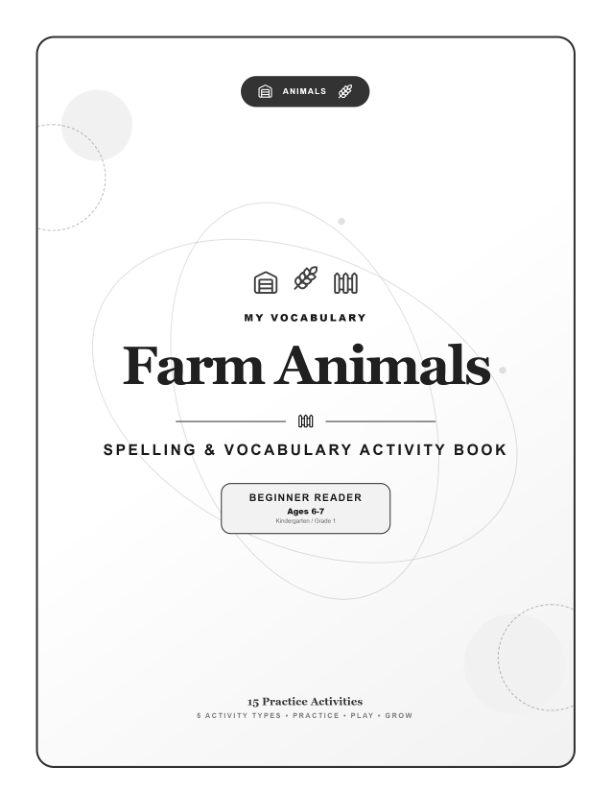
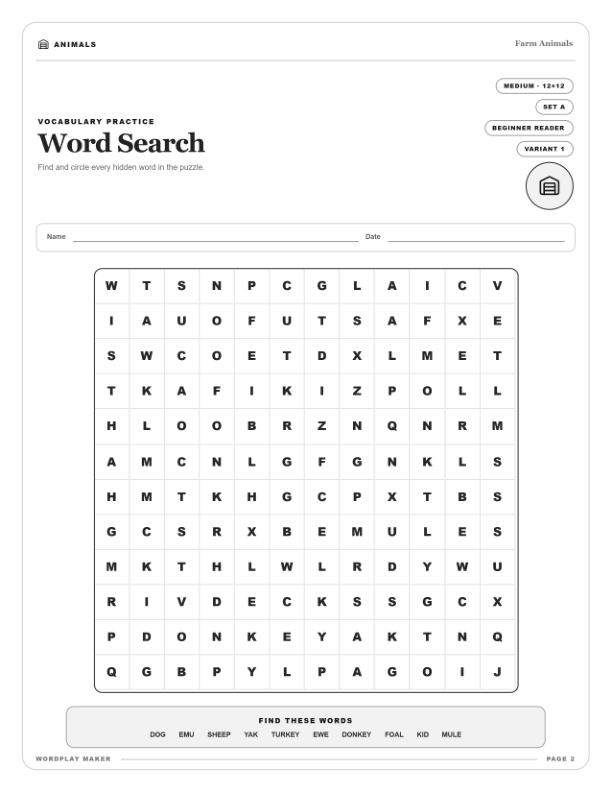
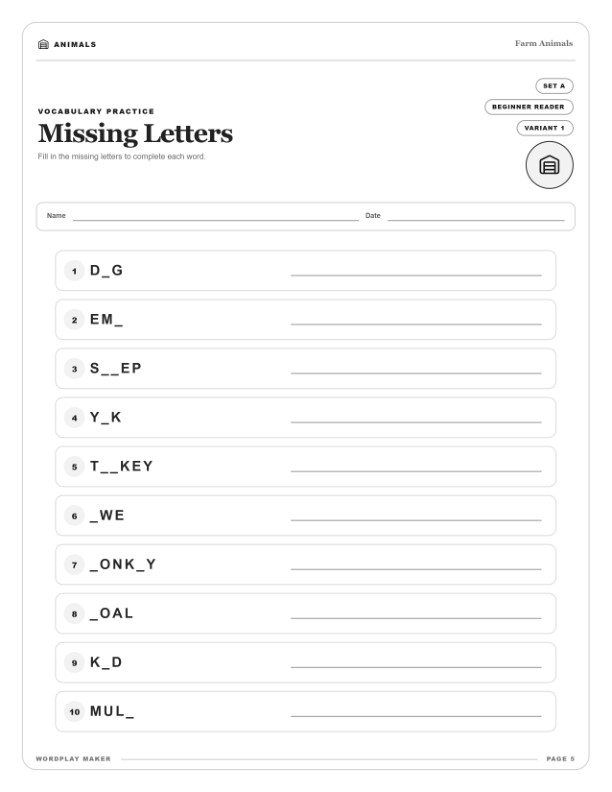
Generated activity book title pageGenerated Word Search worksheetGenerated Missing Letters worksheet
Real generated interior preview — title page, Word Search, and Missing Letters.

Built for creators

Built for Printable Sellers

Use the same structured workflow across multiple product types and audiences.

A

Activity Books

Build themed word activities for larger activity-book projects.

P

Educational Printables

Create structured learning resources and printable PDF products.

W

Kids Worksheets

Develop topic-based worksheets for different age groups and difficulties.

B

Printable Bundles

Combine generated pages with your covers, bonuses, and branded materials.

D

Digital PDF Products

Create downloadable activity products for the marketplace of your choice.

C

Client Projects

Use generated outputs in finished commercial client deliverables.

Print-focused output

Create Complete Activity-Book Interiors

Use a print-focused preset designed for activity-book and printable publishing workflows.

Flexible PagesChoose the content and activity mix you need. KDP paperback interiors require a minimum of 24 pages.
300 DPIHigh-resolution output designed for print workflows.
8.5 × 11A popular large-format size for activity books and worksheets.
Black & WhiteTrue grayscale output for simple B&W printing.
No BleedContent positioned inside print-safe margins.
WordPlay Maker can be used as part of an Amazon KDP or other publishing workflow. Third-party platforms control their own current technical, content, and publishing requirements. You remain responsible for reviewing the final file before submission.

More angles from one idea

One Topic Can Become Multiple Product Ideas

Change the age, difficulty, audience, vocabulary, or positioning without rebuilding the workflow from zero.

CARS
Cars Activity Book
Cars — Easy
Cars — Hard
Cars Worksheet Pack
Cars Homeschool Pack
Cars Classroom Resource

Topic × Age × Difficulty × Audience = Multiple Product Angles

1

Choose the Right Age Group

Create content that better matches the intended learner instead of using one generic activity for every audience.

Early LearnerBeginner ReaderOlder Learner
2

Control the Difficulty

Create easier or more challenging versions around the same topic and product concept.
EasyMediumHard
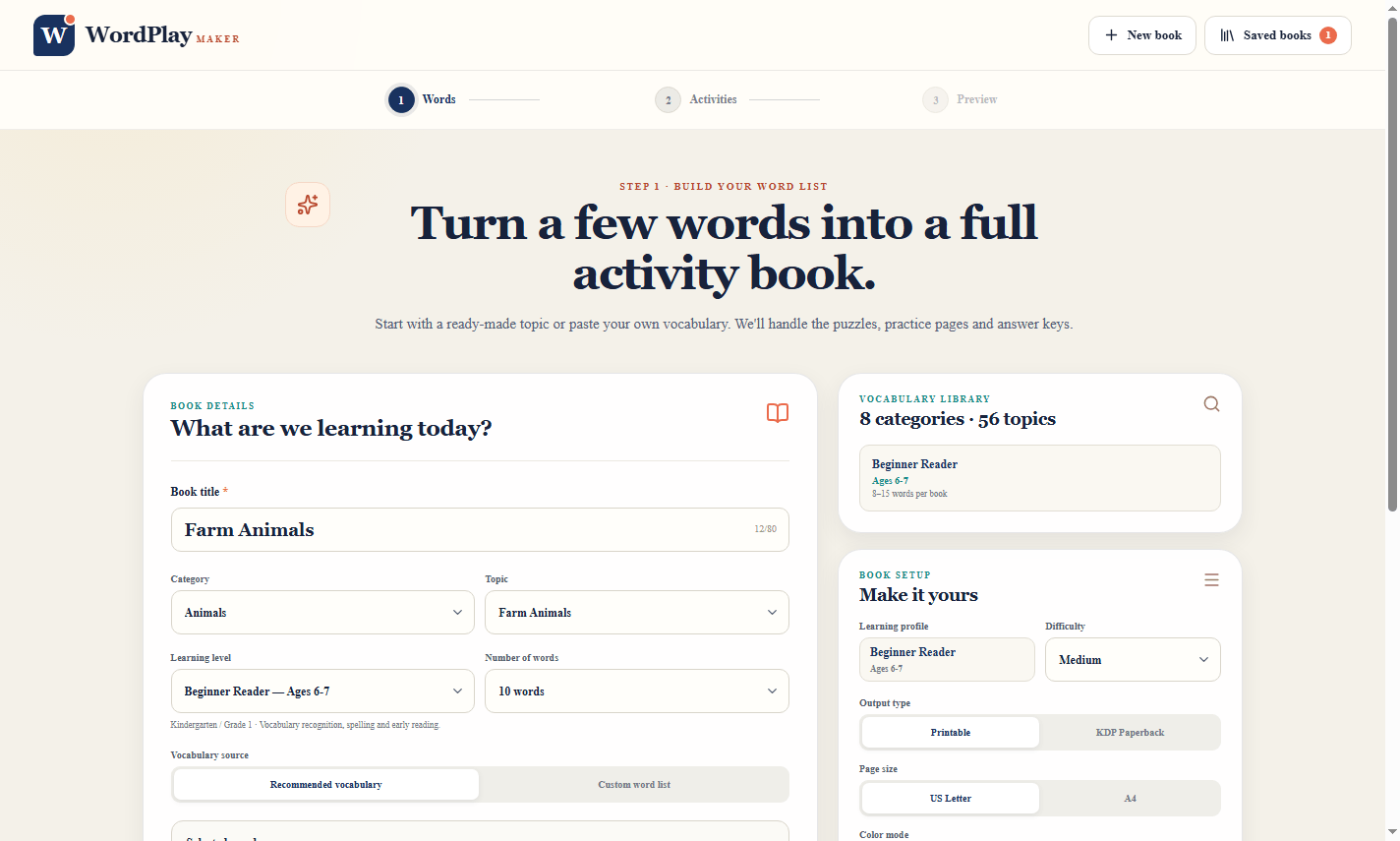
WordPlay Maker topic and vocabulary setup screen
Choose a topic, learning level, word count, and vocabulary source.

Creator control

Customize the Vocabulary

Use the available topic content as a starting point, then adapt the vocabulary for your niche, audience, bundle, teaching material, or client project.

NicheLearning LevelThemeAudienceClient Project

Topic variety

Stop Being Limited to a Tiny List of Topics

Build products around multiple themes instead of relying on one fixed activity pack.

Farm AnimalsWild AnimalsPetsSchoolFoodFruitsVegetablesNatureBody PartsTransportationOccupationsSpaceWeatherSportsHolidays…and more

A repeatable production workflow

Generate, Preview, and Export

Move from settings to structured activity pages while remaining the final reviewer of the product.

1

Generate Complete Activities

Turn the selected topic, age, difficulty, and vocabulary into structured activity pages.

2

Preview Before Export

Review the generated result, make changes, and approve the final output.

3

Export the PDF

Continue by adding branding, covers, bonuses, or other design elements.

Use it inside your existing business

Built for the Way Printable Sellers Actually Work

1
Find an Idea
2
Create Content
3
Export PDF
4
Add Branding
5
Package Product
6
Publish or Sell
K

Activity-Book Publishing

Generate print-focused interiors and prepare the complete publication for your chosen platform.

E

Printable Marketplaces

Create activity packs, worksheets, homeschool bundles, and educational downloads.

C

Client Work

Use generated outputs in finished client deliverables under the commercial usage terms.

Commercial usage included

Use the Outputs You Create in Products You Sell

Commercial rights apply to generated outputs — not to the WordPlay Maker application itself.

YOU CAN

  • Use generated outputs commercially
  • Include them in printable products
  • Include them in activity books
  • Create finished products for clients
  • Edit generated content
  • Add your own branding
  • Combine pages with your own materials
  • Build larger bundles

YOU CANNOT

  • Resell WordPlay Maker
  • Sell software access
  • Share your account
  • Repackage the application
  • Give away application access
  • Claim ownership of WordPlay Maker
  • Sell the software as your own product
  • Transfer access unless expressly permitted

What you get

Everything You Need to Start Creating

Windows App AccessInstall and use WordPlay Maker on your Windows computer.
Topic-Based CreationStart from the subject or niche you want.
Learning LevelsMatch activities to the intended learner.
Difficulty ControlsCreate easier or harder versions.
Vocabulary ControlsReview and customize the word content.
Activity GenerationGenerate structured word activity pages.
Preview WorkflowReview the pages before export.
Flexible Page CountPage count adapts to your selected content and variants; KDP export checks the 24-page minimum.
300 DPI OutputHigh-resolution print-focused output.
8.5 × 11 FormatPopular activity-book page size.
Black & WhiteTrue grayscale output.
No-Bleed LayoutContent positioned within safe margins.
Answer KeysStructured solution pages where relevant.
PDF ExportDownload the finished activity interior.
Commercial RightsUse outputs in finished products you sell.
One-Time PurchaseNo monthly subscription for this offer.

Product proof

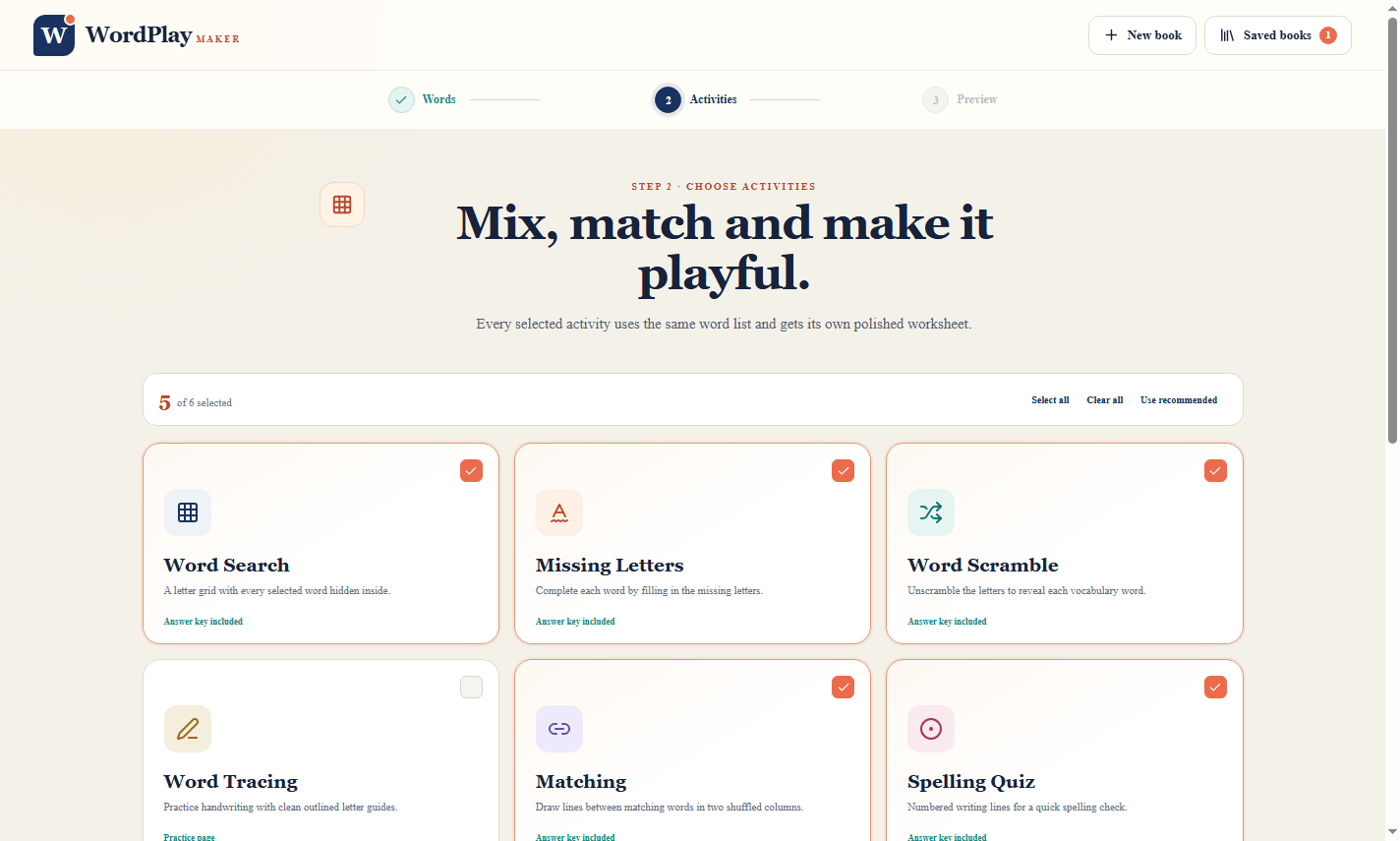
Take a Look Inside WordPlay Maker

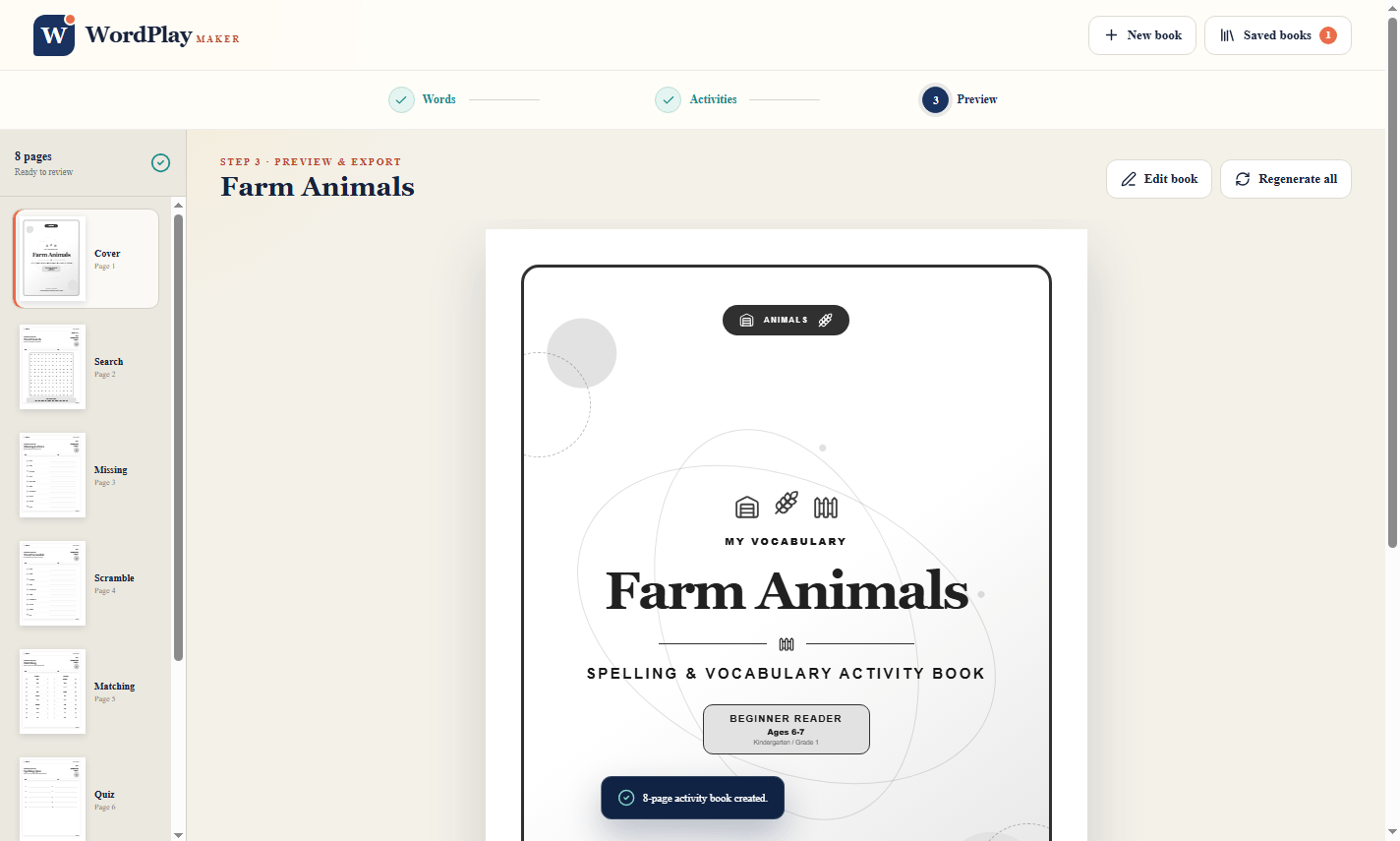
See the actual workflow from setup to activities to final preview.
Clear expectations

A Creation Tool — Not a Get-Rich-Quick System

WordPlay Maker can make the creation workflow faster and more repeatable. It does not guarantee product sales, income, traffic, rankings, customer demand, publishing approval, or acceptance by a third-party platform.

A simpler workflow

Why Build Every Activity Manually?

Manual Workflow

Research the vocabulary
Create each activity
Design and format pages
Build answer keys
Check the layout
Export and repeat

WordPlay Maker Workflow

Choose the topic
Select the audience
Choose the difficulty
Customize the vocabulary
Generate and preview
Export the PDF

Launch special

Get WordPlay Maker Today

Launch Special
WordPlay Maker
$17
One-Time Payment
  • Windows Desktop App
  • Topic-Based Creation
  • Learning Level & Difficulty Controls
  • Vocabulary Customization
  • Activity Generation
  • Preview Workflow
  • Dynamic Flexible Page Count
  • 300 DPI Output
  • 8.5 × 11 Format
  • Black & White
  • No-Bleed Layout
  • Answer Keys
  • PDF Export
  • Commercial Output Rights
GET WORDPLAY MAKER FOR $17

No Monthly Subscription • 30-Day Money-Back Guarantee

30-day guarantee

Try WordPlay Maker for 30 Days

Get access, explore the software, generate activities, and decide whether it fits your creation workflow. If WordPlay Maker is not right for you, contact support within 30 days of purchase to request a refund.

Frequently asked questions

Questions Before You Get Started?

What is WordPlay Maker?
WordPlay Maker is a Windows desktop tool designed to help you create structured word activity interiors for printable, educational, client, and publishing projects.
Is this a subscription?
No. This launch offer is a one-time payment of $17. No monthly subscription is required for this offer.
How many pages does it generate?
Page count is flexible and adapts to the selected content and activity mix. For KDP paperback interiors, the export checks that the book meets the required minimum of 24 pages.
Can I sell the content I create?
Yes. Commercial usage rights are included for generated outputs. You may use them as part of finished printables, activity books, educational resources, bundles, and client projects, subject to the license terms.
Can I resell WordPlay Maker?
No. Your purchase allows you to use the software. It does not include PLR, MRR, resale rights, giveaway rights, or permission to sell software access.
Can I use it for Amazon KDP projects?
You can use WordPlay Maker as part of an activity-book creation and publishing workflow. The KDP preset is print-focused, but Amazon controls its own current requirements. You are responsible for reviewing the final publication before submission.
Is WordPlay Maker approved by Amazon?
No. WordPlay Maker is an independent software product and is not endorsed, certified, or officially approved by Amazon.
Can I use the outputs for Etsy or other marketplaces?
Yes, generated outputs may be used as part of finished commercial printable products, subject to WordPlay Maker's license and the current rules of the marketplace you use.
What page size does it use?
The current print-focused preset uses an 8.5 × 11 inch page format.
Is the output 300 DPI?
Yes. The current print-focused preset produces 300 DPI output.
Is it black and white?
The current black-and-white preset produces true grayscale output suitable for B&W printing workflows.
Does it use bleed?
The current print-focused preset uses a no-bleed page structure with content positioned inside safe margins.
Can I customize the vocabulary?
Yes. You can review and customize the word content used for your project according to the controls available in the app.
Can I choose different ages and difficulty levels?
Yes. Age and difficulty selection are part of the creation workflow.
Can I create products for clients?
Yes. Generated outputs may be used as part of finished client projects under the included commercial usage terms.
Does WordPlay Maker guarantee income or marketplace approval?
No. WordPlay Maker is a creation tool. It does not guarantee sales, income, traffic, rankings, customer demand, publishing approval, or marketplace acceptance.
What is the refund policy?
Your purchase is covered by a 30-day money-back guarantee. Contact support within 30 days of purchase if you would like to request a refund.

Turn more ideas into finished products

Make the Repetitive Part of Printable Creation Much Simpler

WordPlay Maker helps you move from topic to structured activity-book interior through one repeatable workflow.

ChooseCustomizeGeneratePreviewExport
$17
GET INSTANT ACCESS TO WORDPLAY MAKER

One-Time Payment • Commercial Output Rights • 30-Day Guarantee

About the Creator

Frank Nguyen, creator of WordPlay Maker

Frank Nguyen

Hi, I’m Frank Nguyen — a self-made entrepreneur with over 10 years of experience in sales, business development, and digital marketing.

Throughout my journey, I have built and grown online businesses from the ground up, gaining hands-on experience in customer acquisition, product positioning, sales strategy, and digital marketing. My work is focused on creating practical digital products that solve real problems, save time, and help entrepreneurs build more efficient and profitable businesses.

I believe successful products should be simple, useful, and built around the needs of real customers. My goal is to turn practical ideas into reliable tools that help creators, marketers, and online business owners achieve better results with less complexity.

WordPlay Maker$17 one-time
GET ACCESS